Ameerpet

+91 9154112233

Hire From Us

info@qedgetech.com

Selenium with Python Course

This training program focuses on learning by doing, with real-life challenges that help you build practical skills. You will solve many problems during live sessions, while additional exercises are provided as homework to strengthen your understanding.

Selenium is one of the most widely used tools for automating web application testing. Being an open-source tool, Selenium is preferred by many companies as it helps reduce project maintenance costs, leading to high demand for skilled Selenium testers.

Course Duration

2 Months

Training Options

Onsite / Online

Rating

Why Should You Take Selenium with Python Course?

High-demand automation skill combining Selenium and Python for web testing

Enables faster, cost-effective, and cross-browser test automation

Opens strong career opportunities in QA automation and DevOps environments

Instructor-led Selenium with Python Live Classes

schedulecle

Selenium with Python Course Schedules

CourseDateTimingsDurationTrainerTraining Mode
Course Fee
Rs. 12,000 /-

About Course

In this course, you will learn how to implement Selenium automation using Python in a simple and effective manner. The training also covers integrating Selenium with various platforms, tools, browsers, and operating systems, preparing you for real-world automation projects.

Pre-Requisites

  • No prior programming or testing experience is required.
  • All you need is the passion and commitment to succeed.

About Trainer

  • Real-time Selenium with Python professionals with extensive industry experience
  • Provide hands-on, project-based training using real-world automation scenarios
  • Guide learners with best practices, frameworks, and interview preparation

Training Options

Onsite Training

Rs. 12,000 /-

Online Training

Rs. 12,000 /-

Video Based Learning

Rs. 12,000 /-

Skills Covered

Selenium with Python Course Curriculum

Module 1 – Python Basics for Automation Testers

Topics Covered

  • Introduction to Python for test automation
  • Installing Python and IDE (VS Code / PyCharm)
  • Python syntax basics
  • Variables and data types
  • (int, float, string, boolean, None)
  • Operators and conditional statements
  • Writing and executing Python scripts

Training Focus

  • Learn only Python required for automation testing
  • Understand how Python scripts work in test automation

Module 2 – Python Concepts Used in Automation

Topics Covered

  • Functions and arguments
  • Python modules and packages
  • Lists, tuples, sets, dictionaries
  • Loops (for, while)
  • Exception handling (try/except)
  • File handling basics
  • Introduction to OOP concepts (class, object, methods, constructor)

Training Focus

  • Understand Python concepts commonly used in Selenium frameworks

Learn data handling and reusable logic

Module 3 – Selenium Introduction & Environment Setup

Topics Covered

  • Introduction to Selenium and automation concepts
  • Selenium architecture
  • Installing Selenium Python library
  • WebDriver setup (Chrome, Firefox)
  • Understanding browser drivers
  • Launching browser and navigating URLs
  • Locating web elements

Training Focus

  • Understand how Selenium works internally
  • Learn how Python interacts with browsers

Module 4 – Selenium WebDriver Actions & Validations

Topics Covered

  • Selenium locators (id, name, class, CSS selector, XPath)
  • Handling input fields, buttons, links
  • Retrieving text and attributes
  • Assertions and validations
  • Handling waits (implicit wait, explicit wait)
  • Handling alerts, frames, windows

Training Focus

  • Build confidence in writing Selenium scripts
  • Handle real-world UI scenarios

Module 5 – Selenium Framework Design

Topics Covered

  • Test automation framework concepts
  • Page Object Model (POM)
  • Separating test logic and page logic
  • Creating reusable Selenium utilities
  • Reading test data from external files
  • Configuration management

Training Focus

  • Learn industry-standard Selenium framework structure
  • Improve maintainability and scalability

Module 6 – Pytest Framework

Topics Covered

  • Introduction to Pytest
  • Writing test cases using Pytest
  • Pytest assertions
  • Pytest fixtures
  • Parameterization in Pytest
  • Test execution and reports
  • Markers and grouping tests

Training Focus

  • Understand how Pytest is used in real projects

Learn structured test execution

Module 7 – Git, GitHub & Jenkins

Topics Covered

  • Git basics (init, clone, add, commit, push, pull)
  • GitHub repositories and branches
  • Collaborating using GitHub
  • Jenkins introduction
  • Jenkins job creation
  • Running Selenium tests using Jenkins
  • Basic CI/CD pipeline understanding

Training Focus

  • Learn collaboration and automation execution
  • Understand CI/CD concepts used in companies

Module 8 – Distributed Test Execution

Topics Covered

  • Docker basics for testers
  • Docker images and containers
  • Running Selenium tests in Docker
  • Selenium Grid architecture
  • Running tests in parallel using Selenium Grid
  • Introduction to Selenoid
  • Selenoid UI setup and usage
  • Monitoring test execution via Selenoid UI

Training Focus

  • Learn parallel and distributed execution
  • Understand cloud-ready Selenium execution

Module 9 – API Testing using Python Requests Library

Topics Covered

  • API testing fundamentals
  • HTTP methods (GET, POST, PUT, DELETE)
  • REST API concepts
  • Using Python requests library
  • Sending API requests
  • Validating response status, headers, body
  • JSON handling in Python
  • Combining API + UI automation strategy

Training Focus

  • Reduce dependency on UI testing

Learn backend validation using Python

Module 10 – Robot Framework with Selenium

Topics Covered

  • Introduction to Robot Framework
  • Robot Framework architecture
  • Writing test cases using keywords
  • Selenium Library usage
  • Variables and resource files
  • Test suites and execution
  • Reports and logs in Robot Framework

Training Focus

  • Learn keyword-driven automation
  • Understand Robot Framework project structure

Module 11 – AI Tools for Selenium Python Automation

Topics Covered

  • Introduction to GenAI in automation testing
  • GitHub Copilot for Python automation
  • Using Copilot to generate Selenium scripts
  • Writing Pytest code using AI assistance
  • Refactoring Python automation code using AI
  • Cursor AI editor for Python
  • Explaining Selenium code using AI
  • Debugging automation failures using AI

Training Focus

  • Improve automation speed and productivity
  • Learn AI-assisted coding practices

Module 12 – AI Agents & Future-Ready Automation

Topics Covered

  • Introduction to AI agents in test automation
  • MCP (Model Context Protocol) server basics
  • How AI agents interact with automation frameworks
  • Using AI agents for:
    • Test creation
    • Test maintenance
    • Failure analysis
  • AI-assisted test healing concepts
  • Modern automation stack overview:
    • Selenium + Python
    • Pytest
    • API testing
    • Docker & Grid
    • Robot Framework
    • AI editors & agents

Training Focus

  • Understand next-generation automation testing
  • Become future-ready automation tester
  • Strong foundation in Python automation
  • Hands-on understanding of Selenium, Pytest, API, CI/CD
  • Experience with Docker, Selenium Grid, Selenoid UI
  • Knowledge of Robot Framework
  • Exposure to GenAI, AI editors, and AI agents
  • Job-ready for Selenium Python Automation roles

Like the curriculum? Enroll Now

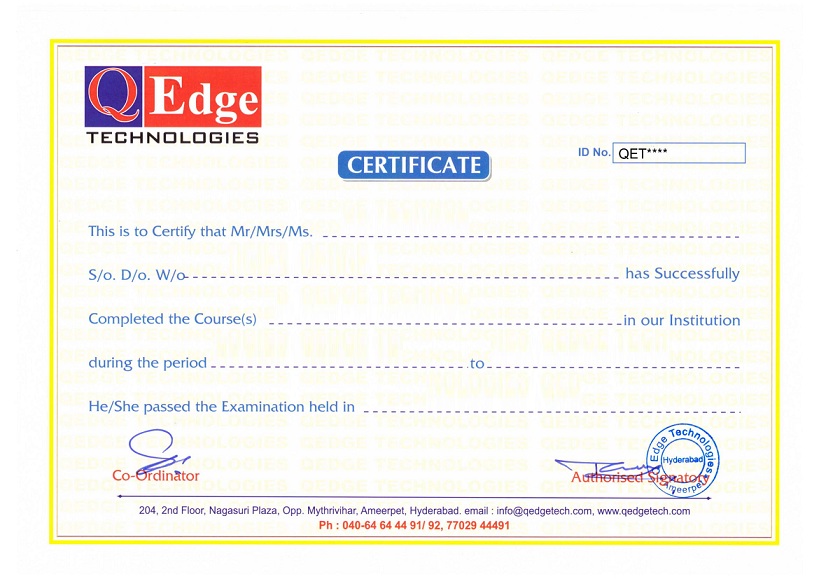
Structure your learning and get a certificate to prove it.

    Selenium Automation Testing with Python Course in Hyderabad

    QEdge Selenium Automation Testing Certificate Holders work at 100s of companies like

    Reviews

    Usha Varma
    Usha Varma
    QEdge Tech is an excellent institute for Selenium Automation Testing with Python, supported by highly experienced trainers who explain concepts in a clear and easy-to-understand manner. The Selenium with Python course is well structured, practical, and industry-oriented, making it an ideal choice for anyone looking to build a successful career in test automation.
    Sachin Josh
    Sachin Josh
    I completed my Selenium Automation Testing with Python course at this institute, and the training was outstanding. The trainer’s clear explanations and hands-on approach made complex concepts easy to understand. I highly recommend QEdge Tech as one of the best coaching centers in Ameerpet, Hyderabad, for software testing and automation training.
    Ayush Krishna
    Ayush Krishna
    I have completed my Selenium Automation Testing with Python course at QEdge Technologies, and the faculty’s teaching was phenomenal. The trainers follow a corporate-style training approach, providing recorded sessions along with comprehensive PDFs for theory. Thank you, QEdge Technologies, for the excellent guidance and support.

    QEdge Training Features

    Theory

    Project Work

    Assignments

    Certification

    Resume Preparation

    Interview Preparation

    Resume Marketing

    Placement Support

    Frequently Asked Questions

    Anyone with a basic understanding of computers can enroll—no prior programming or testing experience is required.
    Yes, the course is designed for freshers as well as working professionals looking to build a career in test automation.
    You will learn Selenium automation using Python, web application testing, test frameworks, cross-browser testing, and integration with various tools.
    Yes, the course includes hands-on projects, real-time scenarios, and live coding exercises.
    Yes, the course is available in both online and classroom formats with recorded sessions for revision.
    Yes, QEdge Tech provides interview preparation, resume guidance, and placement support for automation testing roles.

    No prerequisites are needed—just a passion to learn and succeed in automation testing.

    Be Future Ready. Enroll Now

    Structure your learning and get a certificate to prove it.

      QEdge Technologies


        I’m interested in

        ClassroomOnline

        schedulecle
        Please fill the details our Representative will call you back.