Ameerpet

+91 9154112233

JNTU

+91 9154000111

Hire From Us

info@qedgetech.com

Full Stack Software Testing with AI Course

Full Stack Software testing with AI offline and online course has a great career path and it is not going to be out of style any time soon because every software application needs to be testing irrespective of technology used to develop it. QA Testing field is ever dynamic and is constantly witnessing the rise of new technologies and avenues. No customer will buy a defective product, Software Testing helps organizations to deliver quality product and bug free product to stay in business.

In fact, the demand for software testers is so high that it’s outmatch the supply. Finding skilled software testers is nothing less than a challenge for industry. In such a scenario, being a qualified tester can get you handsome payment for your skills.

Course Duration

4 Months

Training Options

Onsite / Online

Rating

Why should you take software testing with selenium and playwright?

High Industry Demand

Companies actively seek skilled testers who can automate web applications using modern tools like Selenium and Playwright.

Strong Career Growth

Automation testing roles offer better salary packages and faster career advancement compared to manual testing alone.

Powerful & Popular Tools

Selenium is widely adopted, while Playwright is modern, fast, and reliable—learning both gives you a competitive edge.

End-to-End Testing Skills

You gain expertise in manual testing, automation testing, test frameworks, and real-time project execution.

Cross-Browser & Cross-Platform Testing

Easily test applications across Chrome, Firefox, Edge, and multiple environments.

Real-Time Project Experience

Hands-on exposure to live projects helps you understand real-world testing challenges and workflows.

Future-Proof Skillset

Playwright’s growing adoption ensures long-term relevance in the automation testing market.

Abundant Job Opportunities

There is consistent demand across startups, MNCs, and product-based companies, ensuring strong job availability in both India and global markets.

Attractive Salary Packages

Automation Test Engineers with Selenium and Playwright skills earn higher packages compared to manual testers, with better hikes as experience grows.

Instructor-led Full stack Software Testing with AI Live Classes

schedulecle

Software Testing, Selenium & Playwright Course Schedules

CourseDateTimingsDurationTrainerOffline LocationOnline Zoom Id
Full Stack Software Testing with AI -
Manual Testing+Selenium+Playwright
27-Feb-202610:00 AM - 11:30 AM4MonthsMr. Suresh babuAmeerpetZoom Id: 98553367000
Full Stack Software Testing with AI -
Manual Testing+Selenium+Playwright
09-Mar-202610:30 AM - 12:00 PM4MonthsMr. RangreddyJNTUZoom Id:
Course Fee
Rs. 20,000 /-

About Course

Software Testing is a process used to ensure the quality, completeness and correctness of developed software application. It includes a set of activities carried-out with the intent of finding defects in the software, so that it could be corrected before the product is released to the end users.

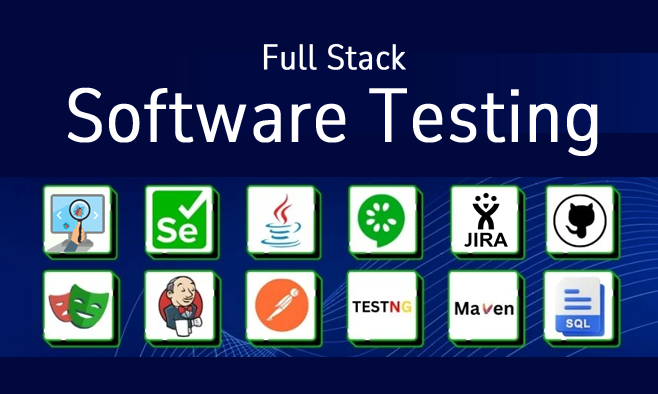
Software Testing online course & Offline Course covers both the Manual Testing and Selenium Automation Testing and Playwright Automation Testing.

Manual Testing course you learn fundamental to in-depth software testing. This course provides you training on various phases which includes software testing concepts, SDLC, STLC, Agile Testing, Effective Testing methods, QA Testing Process, Test Scenarios Preparation, Test Case writing, Test Data Preparation, Test Case Execution, Defect Reporting, Defect Management and Test Management using JIRA tool.

Selenium Automation Testing is basically an open-source tool used for automating Web Application Testing. In this course you learn Java Programming Essentials, How Selenium interact with diff. Web Elements, TestNG, Apache POI to work with Excel Files, Cucumber BDD Framework, Selenium-Grid, MAVEN, Git and Jenkins.

Playwright Automation Testing is a modern, open-source automation testing framework used for end-to-end web application testing across Chromium, Firefox, and WebKit browsers with high reliability and speed.

Students can gain in-depth knowledge of quality assurance by understanding different Manual Testing and Automation Testing practices. This course builds enthusiasm on career in software testing and quality assurance process.

About Trainer

  • 20+ years of Real-time Experience in Software Testing Domain
  • Expert in Manual Testing, Automation Tools Selenium, Playwright, APPIUM, QTP, ALM and JIRA etc.,
  • Certified QA Consultant
  • Experience in blend of Real-time Projects & Training’s

Training Options

Onsite Training

Rs. 20,000 /-

Online Training

Rs. 20,000 /-

Video Based Learning

Rs. 10,000 /-

Skills Covered

Software testing online course
Selenium online training

Software Testing with AI Curriculum

Software Testing Concepts

Software Testing Overview

  • Introduction to Software Testing
  • Why Testing is Necessary
  • What is Manual Testing?
  • What is Automation Testing?
  • Error/Defect/Failure?
  • Why Software has defects?
  • Cost of fixing defects?
  • Verification & Validation
  • Role of a Tester?

Software Development Life Cycle (SDLC)

  • SDLC Phases
  • SDLC Models
  • Waterfall Model
  • V Model
  • Agile Model

Software Testing Methodologies

  • Static Testing
  • Dynamic Testing

Static Testing Techniques

  • What is Static Testing?
  • Reviews
  • Different Types of Reviews

White Box Testing

  • What is White Box Testing?
  • Unit Testing
  • Integration Testing
  • Why WBT is Necessary?

Black Box Testing

  • What is Black Box Testing?
  • Why BBT is Necessary?
  • System Testing
  • User Acceptance Testing (UAT)
    • Alpha Testing
    • Beta Testing

Smoke Testing & Sanity Testing

Functional Testing

  • Formal Testing
  • Ad-hoc Testing
  • Re-Testing
  • Regression Testing
  • System Integration Testing
  • End-to-End Testing
  • Exploratory Testing
  • Monkey Testing

Non-Functional Testing

  • UI Testing
  • Usability Testing
  • Security Testing
  • Compatibility Testing
  • Load Testing
  • Performance Testing
  • Globalization Testing
  • Localization Testing

Software Testing Life Cycle (STLC)

  • What is STLC?
  • STLC Phases

Test Planning

  • Test Strategy
  • Test Plan

Test Analysis

  • Analyzing Functional Requirements SRS/FRS

Test Design

  • Preparing Test Scenarios
  • Preparing Test Cases
  • Test Case Design Techniques
  • ECP & BVA
  • Test Data
  • RTM

Test Execution

  • Executing Test cases
  • Defect Report Template

Defect /Bug Life Cycle

Defect Management

  • What is defect?
  • Defect Reporting Process
  • Defect Severity & Defect Priority
  • Defect Status

Test Closure

  • Test Summary Reports

Agile & Scrum

  • What is Agile Testing?
  • Scrum Introduction
  • Getting Agile with Scrum
  • Characteristics of Scrum
  • Scrum Approach
  • Scrum team

Scrum Project

  • Defining Goals
  • Scrum Planning
  • Define the Product Roadmap
  • Release Planning
  • Sprint Planning
  • Product backlog
  • Concept of Epics
  • Writing Epics – Examples
  • Concept of User Stories
  • Writing User Stories- Examples
  • Defining Tasks
  • Starting Sprint
  • Monitoring Sprint status
  • Completing Sprint
  • The Daily Scrum Meeting
  • Sprint Review Meeting
  • Sprint Retrospection

Test Management & Defect Management Tools JIRA

  • JIRA Introduction
  • How to Install JIRA
  • JIRA Features
  • Creating Scrum Project in JIRA
  • Adding Users to our JIRA Account
  • JIRA Issue types
  • Workflow for a Project
  • Creating Product backlog in JIRA
  • Creating EPICS in JIRA
  • Creating User Stories in JIRA
  • Starting Sprint
  • Writing TestCases in JIRA
  • Executing TestCases from JIRA
  • Adding Bugs to the JIRA Project
  • Attaching screenshots of defects in JIRA
  • What is Database Testing?
  • Why DB Testing is Necessary?
  • SQL Overview
  • SQL CREATE Database
  • SQL CREATE Table
  • SQL SELECT Query
  • SQL WHERE Clause
  • SQL SELECT DISTINCT
  • SQL GROUP BY
  • SQL HAVING
  • SQL ORDER BY Keyword
  • SQL LIKE Operator
  • SQL IN Operator
  • SQL BETWEEN Operator
  • SQL AND & OR Operators
  • SQL Aggregate Functions
  • SQL INSERT
  • SQL UPDATE
  • SQL DELETE
  • SQL TRUNCATE
  • SQL ALTER
  • SQL DROР
  • SQL JOINS
  • SQL SUB QUERIES

Understanding of API and Webservices

  • What is API
  • What is Webservice
  • What is CRUD operation
  • What are different HTTP Calls – GET/POST/PUT/DELETE

Pre-Requisites

  • HTTP Status codes
  • JSON understanding

POSTMAN

  • Introduction
  • Installing Postman
  • Understanding Postman basic menu / features
  • Creating first postman request GET
  • Understanding the response [status code, Message]
  • Using parameters in API calls
  • Using Headers
  • Understanding Authentication and Authorization
  • GitHub Example: Using Authentication
  • Creating POST PUT and DELETE requests
  • Using JSON payloads
  • Understanding JSON response
  • Environments
  • Creating and using Variables
  • Create collections and folders
  • Collection runner
  • Data driving the tests
  • Data files
  • Initializing test data
  • Export and Import collections
  • Advanced
  • Creating scripted tests in POSTMAN
  • Assertions
  • Postman console
  • Understanding API Documentation
Java for Selenium

Java Programming Basics

  • Why Java for Selenium
  • Installing Java
  • Installing Eclipse
  • Creating Java Project
  • First Java program
  • Concept of class file
  • Datatypes in Java
  • String class and functions
  • Conditional Statements
  • Loops
  • Arrays
  • Operators
  • What are Functions?
  • Function Input Parameters
  • Function Return Types

Object Oriented Programming in JAVA

  • Local Variables
  • Global Variables
  • Static and Non-Static Variables
  • Static and Non-Static Functions
  • Creating Objects in Java
  • Meaning of static
  • Why main method static?
  • Overloading and Overriding Functions
  • Access Modifiers – Public/Private/Default/Protected
  • Constructors
  • Interface
  • Usage of Objects in Selenium
  • Inheritance
  • Usage of Inheritance in Selenium
  • Creating Packages
  • Accessing Classes across Packages

Exception Handling

  • Exception handing with try catch block
  • Different Types of Exceptions
  • Need of exception handling in Selenium framework

Automating Excel file Operations

  • Creating/Opening Text Files
  • Reading/ Writing Text Files
Selenium

Selenium Introduction

  • What is Selenium?
  • Selenium Components
  • Introduction to WebDriver
  • Installing Selenium WebDriver
  • Architecture of Selenium Webdriver
  • Creating your First Script in Webdriver

Launching AUT and Inspecting properties of Elements

  • Launching AUT in Firefox
  • Launching AUT in Internet Explorer
  • Launching AUT in Chrome
  • Launching AUT in Safari
  • Inspecting properties of Elements on different Browsers

Finding elements using Locators

Creating Customize XPath/CSS Selectors

  • What is XPath
  • When to Use XPath
  • Absolute XPath/Relative XPath
  • Specifying conditions with XPath
  • CSS Selectors

Automating WebElements Operations

  • Browser
  • TextBox
  • ListBox
  • Links
  • Check Box
  • Radio Button
  • HTML Tables
  • Calendars

Automating Keyboard and Mouse Events

  • Action Class
  • KeyBoard Events
  • Drag & Drop Actions
  • Mouse Hover Action
  • RightClick, Double Click

Handling Alerts

  • accept()
  • dismiss()
  • getText()

Handling Frames

  • What is iFrame?
  • Locating Frames
  • Handling Frames

Handling multiple Windows

  • getwindowHandle()
  • getwindowHandles()
  • Switching between windows
  • Handling elements present in different windows

Synchronization

  • sleep()
  • ImplicitWait
  • WebDriverWait
  • FluentWait
  • PageLoadTimeout
  • Advantages of TestNG over JUnit
  • Why do we need TestNG in Selenium?
  • Installing TestNG in Eclipse
  • Creating a New TestNG Test File
  • TestNG annotations
  • TestNG assertions
  • Running the TestNG Test
  • Checking reports created by TestNG
  • Creating multiple Tests
  • Prioritizing Tests
  • Parameterizing Tests with @dataProvider
  • TestNGdataProvider with Excel
  • Creating and Running Test Suites with TestNG.xml
  • Sequential Test Execution with TestNG
  • Parallel Test Execution with TestNG
  • Overview of BDD and Cucumber
  • How to install and setup Cucumber with Eclipse
  • Overview of Gherkin keywords
  • How to create Feature file
  • How to generate Step Definition file
  • How to integrate Cucumber with Selenium WebDriver
  • JUnit Test Runner Class
  • Data Driven Testing in Cucumber
  • Configure Cucumber with Maven and Jenkins
  • How generate Reports in Cucumber
  • Configure Apache POI jar files & TestNG in Eclipse
  • Preparing Test Data
  • Preparing Data Driven Test using @data Provider
  • Executing Data Driven Tests
  • Analysing Test Results
  • Creating TestBase class
  • Creating Page Classes
  • Defining Elements in Page Class
  • Defining Functions
  • Creating TestCase Classes
  • Executing POM TestCases
  • What is Selenium Grid?
  • When to Use Selenium Grid?
  • What is a Hub and Node?
  • How to Install and Use Grid 2.0?
  • Designing Test Scripts That Can Run on the Grid
  • Using the DesiredCapabilites Object
  • Using the RemoteWebDriver Object
  • Running a Sample Test Case on the Grid
  • Sequential and Parallel Test Execution
  • Running Tests on different Operating Systems
  • Running Tests on different Browsers
JavaScript & TypeScript
  • Variables
  • Data types
  • Operators
  • Conditional statements
  • Loops
  • Functions
  • Arrow functions
  • Arrays
  • Call backs
  • Promises
  • Intro to TS and why TS
  • Installing and configure TS
  • Compiling and run TS
  • Typescript types
  • Type inference
  • Explicit types
  • Functions with type annotations
  • Enums in Type
  • Type assertion
  • Array type annotations
  • Recap
Playwright Automation
  • Setup new project in Playwright
  • Understand its architecture
  • Cover Key concepts (Context, Page etc)
  • Write a basic first test script
  • Selectors/Locators
  • Learn basic CSS syntax
  • Different ways to locate a DOM element (by title, by label, by role etc)
  • Write more scripts and perform actions like clicking, typing
  • Synchronization/Auto waiting
  • Learning assertion using expect library
  • Understand playwright configuration file
  • Headless/Headed mode
  • Debugging using pause mechanism
  • Deal with list of elements
  • Handle iframes
  • Shadow DOM
  • Alerts
  • Keyboard/mouse actions (Click, Right click, context click, Mouse Hover, drag and drop)
  • File upload download
  • Multiple Tabs/ Windows
  • Reading Data from (.xlsx file, JSON file)
  • Test suite structure
  • Reporter
  • Trace viewer
  • Video
  • Device emulation
  • Code gen (Record & Playback Tools)
  • Playwright Inspector
  • Visual Testing
  • Why APIs?
  • Learn different API methods
  • API Request context
  • Handling API requests using PW
  • Handling API responses using PW
  • Network interception
  • Role of test runner
  • Grouping
  • Filtering
  • Skipping
  • Only keyword
  • Test level configuration
  • Test Retry
  • Overriding config at test level
  • Overriding config at project level
  • Test Parameterization
  • Test Suite
  • Test Steps
  • Cross browser testing
  • Different type of reports
  • Global Setup / Tear down
  • Classes in TS
  • Constructor
  • Access modifiers
  • OOPS principles
  • Practical implementation in Playwright test script (Inheritance, Polymorphism etc)
  • Introduction to POM
  • Refactor 1 existing script with POM
  • Implement Page actions
  • Creating Base Page
  • Implement common actions methods
  • Refactoring Test script with best practice
  • HTML and Allure report generation for Playwright automation
  • Install & Configure CI/CD using Jenkins
  • Integrate the playwright framework with Jenkins
  • What is Maven and Why Maven?
  • Installing/Configuring Maven
  • Creating Maven Project
  • Importing Maven Project into Eclipse
  • What is POM.xml?
  • Adding Dependencies to POM.xml
  • Create GitHub Account
  • Configure Git & GitHub with Eclipse
  • GitHub Commands
  • Installing/Configuring Jenkins
  • Scheduling Test Execution in Jenkins
  • Auto mail configuration in Jenkins
  • What is continues integration?
  • Continues integration with JENKINS

You will actively work on real-time industry projects throughout the learning process to gain hands-on practical experience.

These projects are designed to simulate actual workplace scenarios, helping you understand real testing workflows.

You will practice both Manual Testing techniques and Automation Testing using Selenium and Playwright.

This approach ensures you build job-ready skills and confidence by applying concepts to live project environments.

Like the curriculum? Enroll Now

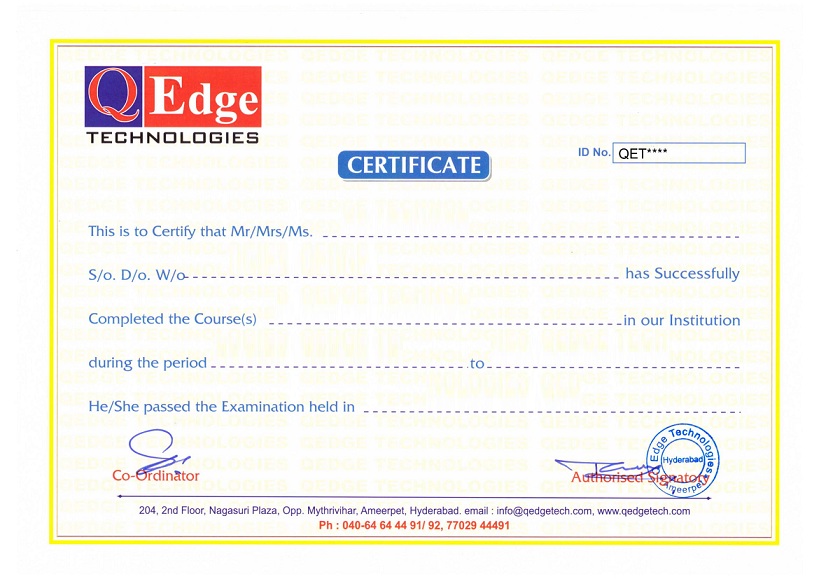
Structure your learning and get a certificate to prove it.

    Full Stack Software Testing Course in Hyderabad

    QEdge Software Testing with AI Certificate Holders work at 100s of companies like

    Reviews

    Mehraj Alam
    Mehraj Alam
    Good Institute and trainers are excellent. Courses are well planned and executed in a simple and understandable way. Those who want to learn any testing or development course then QEdge Technology is the good place to join.
    Shajahan T
    Shajahan T
    I completed a testing course at this institute, and my faculty was Mr. Suresh Bubu Sir . His explanations were excellent, making it easy for everyone to understand. I believe this is the best coaching center in Ameerpet, Hyderabad.
    Himabindhu Madaka
    Himabindhu Madaka
    I have completed my Software Testing course in Qedge technologies.The faculty was Mr Suresh Babu sir, His way of teaching was phenomenal. They teach you in corporate style and give you recorded videos and theoretical part pdfs.Thank you for your guidance.
    Krishna Singh
    Krishna Singh
    I want to express my gratitude for the excellent teaching and guidance provided throughout the course. Suresh sir, thank you for your teaching excellence, and Narender sir, I would greatly appreciate your help with the placement process
    Mohd Feroz Ahmed
    Mohd Feroz Ahmed
    The best place for learning software testing tools (Selenium) even for the students with out any software back ground. Good faculty with good experience. Suresh Babu sir and Ranga reddy sir way of teaching is good and simple, even for non - I.T. students.
    Jangampalli Avinash
    Jangampalli Avinash
    Suresh Babu sir is simply outstanding! His teaching style is extremelysuper,. His clear explanations and patient approach made us learn easily. Highly recommended for this education. Thank you, sir!-
    Anushka Srivastava
    Anushka Srivastava
    Being a fresher, I came here with an expectation that I have to learn a lot, I knew that I am a non-IT student but to go into the technical field, you taught me very softly which I probably did not know. Thank you very much sir, you are the best teacher in the world.
    Issaku Surekha
    Issaku Surekha
    I really enjoyed the online course. I thought it was well planned and layed out, easy for me to follow.it is very useful my career, thankyou very much Suresh babu sir and team.l am studying final year b.tech ,so I am not attend the live classes,but recording classes are very helped to me
    Karthik N
    Karthik N
    Mr. Suresh Babu sir is simply outstanding! His teaching style is exceptional, keeping the class focused and engaged without fail. His clear explanations and patient approach made us learn easily. Highly recommended for anyone seeking top-notch education. Thank you, sir!- Software Testing -Selenium-Java.
    Manju Nath
    Manju Nath
    Good trainer well trained and support towards the course very good really the way of handling students very good and understandable language was good while training thank you for your support Suresh babu sir

    QEdge Training Features

    Theory

    Project Work

    Assignments

    Certification

    Resume Preparation

    Interview Preparation

    Resume Marketing

    Placement Support

    FAQ's

    Every software application must be thoroughly tested before it is released into the market to ensure quality, performance, and reliability.

    Every software company needs skilled QA Testers to identify defects, validate functionality, and deliver a high-quality product to customers.

    In our Full Stack Software Testing course with Selenium & Playwright, students gain strong foundational knowledge of the software testing domain and a practical, real-time understanding of Manual Testing, Selenium Automation, and Playwright Automation. This hands-on approach helps learners build industry-ready skills and confidently start their career in QA and Automation Testing.

    The course duration is 4 months, available in both Online and Offline modes. Classes are held Monday to Saturday, with 1.5 hours of theory and 1.5 hours of practical training daily, covering Manual Testing, Selenium, and Playwright with real-time projects.

    Any graduate such as BSc, BCom, BTech, MSc, MCA, or equivalent with good communication skills can enroll in this course and start a career as a Test Engineer / QA Engineer.

    Working professionals from BPO, Banking, Sales, Customer Care, or other domains who wish to switch their career into the IT testing field are also eligible.

    The course is a perfect blend of theory and practical training. Each topic is explained conceptually and followed by hands-on practice. Students also receive live project exposure and regular assignments to strengthen their skills and gain real-time industry experience.

    Yes. During the training, you will work on real-time live projects to gain hands-on industry experience in Manual Testing and Automation Testing using Selenium & Playwright. This practical exposure helps you understand real-world testing scenarios and prepares you to work confidently on actual projects.

    Yes. After successful completion of the training, you will receive a Certificate of Completion, which you can share with friends, relatives, co-workers, and potential employers to showcase your skills and training credentials.

    Yes. You will get full access to course materials through our Learning Management System (LMS). This includes day-to-day class recordings, practical assignments, and reading materials, all of which can be easily accessed through our LMS.

    Be Future Ready. Enroll Now

    Structure your learning and get a certificate to prove it.

      QEdge Technologies


        I’m interested in

        ClassroomOnline

        schedulecle
        Please fill the details our Representative will call you back.